TrueGEX vs. Skylit Heatseeker: Compare the GEX Workflow
Compare TrueGEX and Skylit Heatseeker by the practical steps traders use to find a level, track exposure changes, add chart and flow context, and review a session. See what the documented plans include and what to verify before subscribing.
A TrueGEX vs Skylit Heatseeker comparison should show what happens after you spot a large heatmap node: can you check its change, compare it with price and flow, and review what happened afterward? This guide compares that workflow, subscription access, and documented limits—not just feature counts.
The main buying distinction is one bundled workspace versus tiered access. Pricing and entitlements below reflect the supplied first-party evidence; live checkout prices, complete Skylit ticker lists, and some module entitlements could not be independently reverified for this article.
Key takeaways
- TrueGEX includes GEX/VEX heatmaps, Charts, Options Flow, Replay, and multiple-board viewing in one plan.
- At the time of writing, Skylit’s surfaced pricing lists Community at $99.99/month, Initiate at $299/month, and Pro at $699/month. Confirm checkout prices and exact entitlements before subscribing.
- TrueGEX states approximately one-second board updates. At the time of writing, Heatseeker’s product page says “updated live,” without specifying a numerical web-app interval.
- Both document exposure-change tools and historical review. Matching feature names do not establish identical calculations, controls, or historical availability.
- Dealer positioning is context, not a standalone trading signal. Options and 0DTE trading carry substantial risk of loss.
What does a TrueGEX vs Skylit Heatseeker comparison show?
TrueGEX offers one bundled subscription, while Skylit offers tiered access at the time of writing. Both document heatmaps and companion tools, so the practical comparison is whether your subscription contains the symbols, charts, flow, and historical review you actually use—not which platform lists more features.
Gamma exposure (GEX) estimates positioning associated with how options delta changes as the underlying price changes. Vanna exposure (VEX) estimates positioning associated with how delta changes as implied volatility changes. Delta measures an option’s sensitivity to the underlying price; exposure maps are modeled estimates, not a complete record of dealer inventory.
The table distinguishes documented capabilities from unresolved access questions.
| Workflow question | TrueGEX | Skylit — at the time of writing |
|---|---|---|
| Exposure views | GEX and VEX at every strike and expiration | GEX/VEX by strike and expiration, according to the Heatseeker product page |
| Prominent nodes and change | King, seven velocity windows, Movers, and node history | Heatseeker documents velocity; matching windows and controls are not established |
| Web-app cadence | About once a second during the trading session | Heatseeker says “updated live”; numerical interval not established |
| Coverage | Indices, ETFs, and single names, including SPX, SPY, QQQ, NVDA, and TSLA | Plan explainer distinguishes Initiate’s index/ETF access from Pro’s broader ticker access; complete lists remain unverified here |
| Charts | Up to four panes, positioning overlays, and docked heatmaps | Atlas documents live charting with dealer levels and Heatseeker nodes; tier-by-tier access remains unverified |
| Options flow | Included, with filters, Flow Score, and contract drilldown | Plan explainer says Flowseeker is included in every plan |
| Multiple boards | Up to six heatmaps; one-click SPXW/SPY/QQQ view | Heatseeker documents Trinity for SPXW/SPY/QQQ and up to six ticker panels |
| Historical review | Recorded-session Replay, minute by minute | Heatseeker documents replay from a selected date and time; available history length is not established by that page |
| Subscription structure | One bundled monthly plan | Three named tiers appear on the surfaced pricing page; live checkout verification remains necessary |
TrueGEX capabilities above come from its product overview and documentation. Skylit’s table entries refer to the linked first-party pages, at the time of writing; a module’s existence does not establish access under every tier.
For a wider shortlist, see Best GEX Tools for Retail Traders: Compare Features and Workflow. Its publication date was not independently verified here, so it is not identified as the November 6 hub.
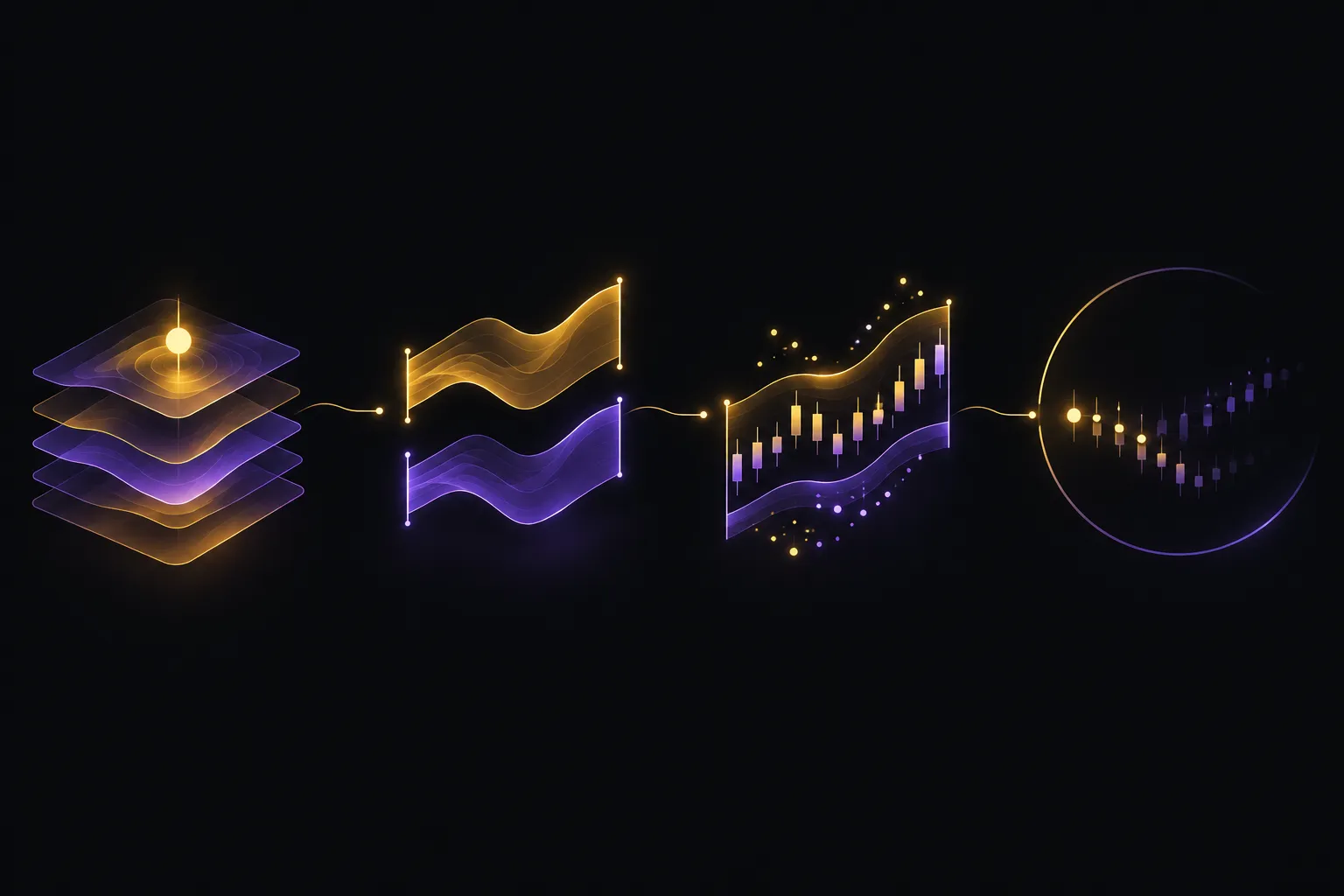 A conceptual four-step workflow: locate a level, track exposure, add context, and review the session.
How do you find a level and check whether it is changing?
Start with exposure near your existing chart setup, then examine its size and change over time. TrueGEX documents seven velocity windows, Movers, and node history; at the time of writing, Heatseeker documents velocity, but the cited evidence does not establish equivalent windows or controls.
Separate prominence from relevance
A node is a heatmap cell representing one strike and expiration. TrueGEX’s King is the largest single cell on its board, highlighted with a star.
Largest does not automatically mean most relevant. A smaller node near current price may matter more to your immediate setup than a larger node far away.
Check three things:
- Location: Which strike and expiration does the node represent?
- Change: Is displayed exposure growing, fading, or stable?
- Structure: Does price show a setup you already understand?
TrueGEX’s velocity windows are 1 minute, 5 minutes, 10 minutes, 15 minutes, 1 hour, 4 hours, and 1 day. Movers identifies the fastest-growing and fastest-shrinking nodes; node history helps distinguish a recent change from an older buildup.
At the time of writing, Heatseeker’s documented velocity serves the same broad purpose—examining change. That does not establish matching calculations or interchangeable readings.
Do not confuse refresh cadence with exposure change
A refresh interval tells you how frequently a board updates. A velocity window tells you the period over which change is examined. A frequently refreshed node can still be stable or fading.
TrueGEX says its boards are recomputed about once a second while the market is open. At the time of writing, Heatseeker’s web-app page says “updated live,” without a numerical interval.
At the time of writing, Skylit’s homepage associates a 15-second refresh with Heatseeker Bot maps in Discord. That figure does not establish the Heatseeker web app’s cadence. Comparing it directly with another platform’s web board would mix different products.
How do charts, flow, and multiple boards fit together?
Both platforms document tools beyond heatmaps. TrueGEX bundles charts, Options Flow, and multiple-board viewing; at the time of writing, Skylit documents Atlas, Flowseeker, and Heatseeker’s multi-ticker views. Test how those tools connect, and confirm access rather than assuming every advertised module belongs to your chosen tier.
Charts: inspect the price source and overlays
TrueGEX supports up to four chart panes, each with its own symbol and a docked heatmap. Dealer positioning appears on candles as orbs or bands.
Its chart prices are currently implied from each symbol’s options rather than supplied by a direct exchange price feed. They can differ slightly from official prices, so use your execution platform’s prices when planning orders, stops, or invalidation. The chart documentation explains the positioning overlays.
At the time of writing, Atlas documents live charts with dealer levels and Heatseeker nodes. That establishes a chart-based positioning workflow, not identical overlays, prices, or controls. Current Atlas access by subscription tier remains unverified in the available evidence.
Flow: inclusion is not interpretation
TrueGEX Options Flow shows sizable options trades as they print. Filters include premium, size, days to expiration, side, and sweeps; contract drilldown provides additional order context. Its −100 to +100 Flow Score summarizes bullish or bearish flow signals.
At the time of writing, Skylit’s plan explainer says Flowseeker is included in every plan. Its separate module name should not be mistaken for exclusion from the subscription.
On either platform, a large print does not reveal the trader’s entire position or intent. A directional summary is not a probability that price will move.
Multiple boards: keep the names distinct
TrueGEX documents MultiMap as supporting up to six heatmaps. The supplied current homepage evidence calls its one-click SPXW/SPY/QQQ preset TriMap; that preset name should not be confused with the broader multiple-board feature.
At the time of writing, Skylit calls its SPXW/SPY/QQQ view Trinity and documents expansion to six ticker panels. These are separate product names, not evidence of identical implementation.
Side-by-side boards help you examine agreement or disagreement across markets. They do not make SPX, SPY, and QQQ strikes interchangeable.
What do the plans cost, and which access is verified?
TrueGEX offers one bundled plan; at the time of writing, Skylit’s surfaced pricing lists Community, Initiate, and Pro. The available evidence supports the prices below, but not a complete, independently verified entitlement matrix. Treat this as a documented snapshot—not confirmation of today’s checkout or every included ticker.
TrueGEX offers one plan, everything included, about $98 a month at the time of writing.
| Plan | Monthly price in available evidence | Documented access | What remains unverified |
|---|---|---|---|
| TrueGEX | About $98 | Heatmaps, Options Flow, Charts, Replay, MultiMap, and Academy | Confirm current billing terms before subscribing |
| Skylit Community — at the time of writing | $99.99 | Plan explainer says Flowseeker is included in every plan | Complete Community entitlements; Heatseeker web-app and Atlas access |
| Skylit Initiate — at the time of writing | $299 | Plan explainer says Heatseeker web-app access for a stated index/ETF set, plus Flowseeker | Complete ticker list and Atlas entitlement |
| Skylit Pro — at the time of writing | $699 | Plan explainer describes broader Heatseeker ticker access, plus Flowseeker | Complete ticker list and Atlas entitlement |
Sources: Skylit prices come from its surfaced pricing page; access statements come from its plan explainer, both at the time of writing. Neither source was independently live-rechecked for this article. Exact ticker entitlements are therefore not reproduced or inferred.
This distinction matters. “Broader ticker access” does not answer whether your particular single name is included, and “index/ETF access” does not establish every index or ETF.
Before paying, confirm:
- Exact symbols: Your required ticker and expiration types.
- Access route: Web app, Discord bot, or both.
- Modules: Heatmaps, charts, flow, and their integrations.
- Review: Available historical dates and replay controls.
- Billing: Checkout price, renewal terms, and cancellation process.
TrueGEX’s Scanner remains coming soon. Do not count it as an available subscription benefit.
How should you test the workflow before choosing?
Run both workflows through the same four tasks: find, check, contextualize, and review. This exposes practical friction without turning one successful historical example into an accuracy claim. Record what information was available before the price reaction, not just what looks persuasive afterward.
Suppose SPX approaches an illustrative 6,000 strike:
| Task | What to establish | Common mistake |
|---|---|---|
| Find | Relevant strike, expiration, and distance from price | Choosing the largest node regardless of location |
| Check | Whether exposure is growing, fading, or stable | Confusing frequent updates with growing exposure |
| Contextualize | Price structure, volatility conditions, and available flow | Seeking only evidence supporting your first impression |
| Review | What was visible before the reaction | Judging from the completed chart |
If your hypothesis is “price may reject this area,” sustained trading through it contradicts that interpretation. A large node remaining visible does not justify continuing to treat the area as resistance.
This is an educational scenario, not a recommendation. Any trade plan needs a predefined loss limit and stop or exit condition. If the level breaks, losses can grow quickly, especially in short-dated options.
What can you verify about historical review?
Both products document replay, but the cited evidence does not establish equivalent historical availability. TrueGEX offers minute-by-minute recorded-session review; at the time of writing, Heatseeker documents running a past session forward from a selected date and time without specifying history length on that product page.
TrueGEX also lets you click a candle to rewind every chart pane to that point. That helps reconstruct the context visible at a particular moment.
For either platform, test access to the actual dates you need. Do not assume that a date selector means unlimited history, or that replay includes every companion module.
Keep a short review log:
- Observation: Time, strike, expiration, and exposure view.
- Change: Whether the node grew, faded, or shifted.
- Response: Rejection, acceptance, crossing, or no meaningful interaction.
- Invalidation: What contradicted the original interpretation.
Record failures as carefully as apparent successes. Historical interaction does not establish causation.
Which workflow may suit you?
TrueGEX may suit you if you want its heatmaps, exposure-change tools, charts, flow, and review features in one subscription. At the time of writing, Skylit may suit you if you prefer its Heatseeker, Atlas, and Flowseeker workflow and can confirm that the chosen tier includes your required access.
At the time of writing, Heatseeker’s documented strengths include GEX/VEX views, velocity, alerts, replay, and up to six ticker panels. Those are substantive workflow capabilities, not merely a static map.
There is no supported data-quality winner in this comparison. Neither refresh frequency nor feature breadth establishes better forecasts. At the time of writing, Skylit explicitly describes its heatmap as not predicting direction; apply the same discipline to any positioning platform.
Frequently asked questions
Do matching GEX values prove the platforms use identical methods?
No. Similar readings do not establish identical methods, and different readings do not by themselves prove an error. This article compares documented workflows, not calculation accuracy.
Can ES or NQ traders copy index-option strikes into futures orders?
No. Index-option strikes provide context, while futures have their own traded prices. Check the relationship between instruments and use your execution chart for order levels.
Does faster updating reduce execution risk?
Not necessarily. Analytics refresh frequency is separate from order execution, spreads, slippage, and liquidity. A faster board does not remove the risks of trading options or futures.
Is subscribing to both platforms useful confirmation?
Only if each solves a distinct problem in your process. Two positioning displays are not automatically independent evidence. Test whether the second subscription changes useful decisions rather than simply adding screens.
Choose the workflow you will actually use
The useful TrueGEX vs Skylit Heatseeker decision comes down to finding levels, checking change, adding context, and reviewing sessions. Resolve the remaining symbol and module questions before paying; do not choose from a historical screenshot alone.
Start with the TrueGEX heatmap documentation to understand its board and node controls.
This is educational content, not financial advice. Options and 0DTE trading carry substantial risk of loss.
See the live GEX and VEX heatmaps, options flow, and charts for SPX, SPY, QQQ, and 230+ symbols. Get TrueGEX: one plan, everything included.
TrueGEX content is for educational purposes only and is not financial advice. Options and futures trading involves substantial risk of loss and is not suitable for every investor. Examples are illustrative; past behaviour of any level does not guarantee future results.
- TrueGEX vs Skylit Heatseeker
- Heatseeker comparison
- GEX VEX platforms
- options analytics
- trading tools
The TrueGEX team builds live gamma and vanna heatmaps, options flow and charts for options and futures traders.